ABC analysis is a method of ranking inventory items by annual consumption value and sorting them into three classes: the few A items that carry most of the value, the B items in the middle, and the many C items that carry little. It rests on the Pareto observation that roughly 20% of SKUs account for roughly 80% of value, which has held in almost every inventory we have looked at.
Value tells you where the money is. It tells you nothing about how hard an item is to forecast, and that second question decides where your planners’ time goes, which items can run on autopilot, and where safety stock is covering for a forecast rather than for real demand variability. Every ABC guide on the first page of results sorts by value and stops. This one adds the second axis, demand variability measured by the coefficient of variation, and turns the resulting nine-cell grid into decisions: a service level, a review frequency, a forecast method, and a yes or no on touchless for each cell. In the 20-SKU example below, the stable X column holds 64% of annual value on 8 SKUs, and nearly all of it can run without a planner touching the number. The Z column holds 8% of the value and most of the planning hours. Those two facts, side by side, are what ABC alone cannot show you.
We mentioned the ABC-XYZ grid in one line in our guide to SKU segmentation as a lever of inventory optimization. This is the full version.
What is ABC analysis?
In practice, ABC analysis applies the Pareto principle to inventory. Rank every SKU by how much it consumes in a year, in money terms, and the ranking is steep: a handful of items at the top account for most of the spend, a long tail at the bottom accounts for very little, and the middle holds the rest. The classes formalize that curve so you can set different rules for each.
Class A is typically the top 70% to 80% of value, held by 10% to 20% of SKUs. Class B is the next 15% of value, held by around 30% of SKUs. Class C is the final 5%, held by half the catalog or more. The percentages vary by business and the cut-offs are yours to choose, as the next section explains.
Its history goes back to the 1950s, when H. Ford Dickie at General Electric applied Pareto’s distribution to parts inventory, and it has stayed in use because the ranking it produces is cheap to compute and hard to argue with. Where it goes wrong is in what people assume the classes mean, which we come back to below.
How to do an ABC analysis: step by step
Step 1. Gather annual units and unit cost for every SKU. Use the trailing 12 months of consumption (units sold or issued) and the standard unit cost. If you only have monthly totals, annualize them.
Step 2. Compute annual consumption value. Annual consumption value = annual units × unit cost. This is the number you rank on. A 150partthatsells1,600unitsayear(240,000) ranks above a 2.60itemthatsells27,000(70,000), even though the cheap item moves 17 times as many units.
Step 3. Sort by value, highest first.
Step 4. Compute each SKU’s share of total value, then the running cumulative share. The cumulative column is what the classes are cut on.
Step 5. Draw the lines. The common convention is A up to 80% cumulative, B from 80% to 95%, and C from 95% to 100%. These are conventions. The analysis is the ranking, and the lines are where you choose to draw them. A business with a very flat value curve may cut A at 70% while one with three dominant SKUs cuts it at 85%. Pick cut-offs, write them down, and keep them stable between runs so the classes mean the same thing each quarter.
Excel handles the whole thing in five columns: value (=units*cost), a sort, share (=value/SUM(values)), cumulative (=SUM(share2:share2) filled down), and class (=IF(cum<=0.8,”A”,IF(cum<=0.95,”B”,”C”))). The downloadable sheet linked below has it built, with the cut-offs as inputs.

ABC analysis example: 20 SKUs
Below, 20 SKUs from a mid-sized distributor’s catalog go through the five steps. Seven items carry 79% of the value and qualify as A. Six more take it to 95% and are B. The last seven are C, and together they account for 5.5% of annual spend.
| Rank | SKU | Unit cost | Annual units | Annual value | Share | Cumulative | Class |
| 1 | SKU-101 | $48.00 | 27,106 | $1,301,088 | 23.4% | 23.4% | A |
| 2 | SKU-102 | $12.50 | 72,542 | $906,775 | 16.3% | 39.6% | A |
| 3 | SKU-103 | $95.00 | 9,099 | $864,405 | 15.5% | 55.2% | A |
| 4 | SKU-108 | $5.40 | 82,264 | $444,226 | 8.0% | 63.1% | A |
| 5 | SKU-105 | $8.75 | 47,433 | $415,039 | 7.5% | 70.6% | A |
| 6 | SKU-107 | $150.00 | 1,624 | $243,600 | 4.4% | 75.0% | A |
| 7 | SKU-106 | $31.00 | 7,616 | $236,096 | 4.2% | 79.2% | A |
| 8 | SKU-110 | $64.00 | 3,169 | $202,816 | 3.6% | 82.9% | B |
| 9 | SKU-109 | $17.80 | 10,592 | $188,538 | 3.4% | 86.2% | B |
| 10 | SKU-113 | $9.90 | 12,914 | $127,849 | 2.3% | 88.5% | B |
| 11 | SKU-111 | $3.20 | 36,334 | $116,269 | 2.1% | 90.6% | B |
| 12 | SKU-104 | $22.00 | 5,064 | $111,408 | 2.0% | 92.6% | B |
| 13 | SKU-120 | $88.00 | 1,213 | $106,744 | 1.9% | 94.5% | B |
| 14 | SKU-115 | $14.00 | 6,094 | $85,316 | 1.5% | 96.1% | C |
| 15 | SKU-116 | $2.60 | 27,269 | $70,899 | 1.3% | 97.3% | C |
| 16 | SKU-114 | $41.00 | 1,300 | $53,300 | 1.0% | 98.3% | C |
| 17 | SKU-112 | $27.50 | 1,584 | $43,560 | 0.8% | 99.1% | C |
| 18 | SKU-118 | $6.80 | 4,894 | $33,279 | 0.6% | 99.7% | C |
| 19 | SKU-119 | $11.20 | 797 | $8,926 | 0.2% | 99.8% | C |
| 20 | SKU-117 | $19.50 | 452 | $8,814 | 0.2% | 100.0% | C |
| Total | $5,568,946 |
Two things are worth noticing before moving on: SKU-107 is an A item with 1,624 units a year, because each one costs $150. SKU-116 is a C item that moves 27,269 units, because each one costs $2.60. Value ranking is indifferent to volume, which is correct for deciding where the working capital sits and misleading for deciding how much forecasting attention an item needs. SKU-107, as the next section shows, is the hardest item in the catalog to forecast.
What is XYZ analysis?
XYZ analysis classifies SKUs by how predictable their demand is, using the coefficient of variation (CoV) of demand over a period, usually weekly or monthly buckets across the last year.
Coefficient of variation = standard deviation of demand ÷ mean demand
An item that sells 500 units a week with a standard deviation of 50 has a CoV of 0.1: demand barely moves. An item that averages 30 a week but sells 0 most weeks and 200 in others has a CoV above 2: demand is lumpy and the average describes almost no actual week. The common bands are X for a CoV under 0.5 (stable), Y from 0.5 to 1.0 (variable, often seasonal), and Z above 1.0 (erratic or intermittent). Teams tune these bands to their own catalog, and seasonal items can land in Y even when they are perfectly predictable, which is one reason to read the table rather than trust the letter alone.
Here are the same 20 SKUs with their weekly demand statistics added.
| SKU | Class | Mean weekly demand | CoV | XYZ | Cell |
| SKU-101 | A | 521 | 0.11 | X | AX |
| SKU-102 | A | 1,395 | 0.16 | X | AX |
| SKU-103 | A | 175 | 0.66 | Y | AY |
| SKU-108 | A | 1,582 | 0.16 | X | AX |
| SKU-105 | A | 912 | 0.19 | X | AX |
| SKU-107 | A | 31 | 2.66 | Z | AZ |
| SKU-106 | A | 146 | 0.54 | Y | AY |
| SKU-110 | B | 61 | 0.21 | X | BX |
| SKU-109 | B | 204 | 0.56 | Y | BY |
| SKU-113 | B | 248 | 0.22 | X | BX |
| SKU-111 | B | 699 | 0.59 | Y | BY |
| SKU-104 | B | 97 | 1.57 | Z | BZ |
| SKU-120 | B | 23 | 0.26 | X | BX |
| SKU-115 | C | 117 | 0.60 | Y | CY |
| SKU-116 | C | 524 | 0.19 | X | CX |
| SKU-114 | C | 25 | 2.23 | Z | CZ |
| SKU-112 | C | 30 | 2.25 | Z | CZ |
| SKU-118 | C | 94 | 0.59 | Y | CY |
| SKU-119 | C | 15 | 2.52 | Z | CZ |
| SKU-117 | C | 9 | 2.67 | Z | CZ |
SKU-107 is the item to watch: the sixth most valuable SKU in the catalog, with a CoV of 2.66. Its weekly demand is a few large orders scattered across the year. A planner treating it like the other A items, with a tight safety stock and a monthly statistical forecast, will either stock out on the big orders or carry $150 units for months waiting for them.

ABC XYZ analysis: the 9-cell matrix
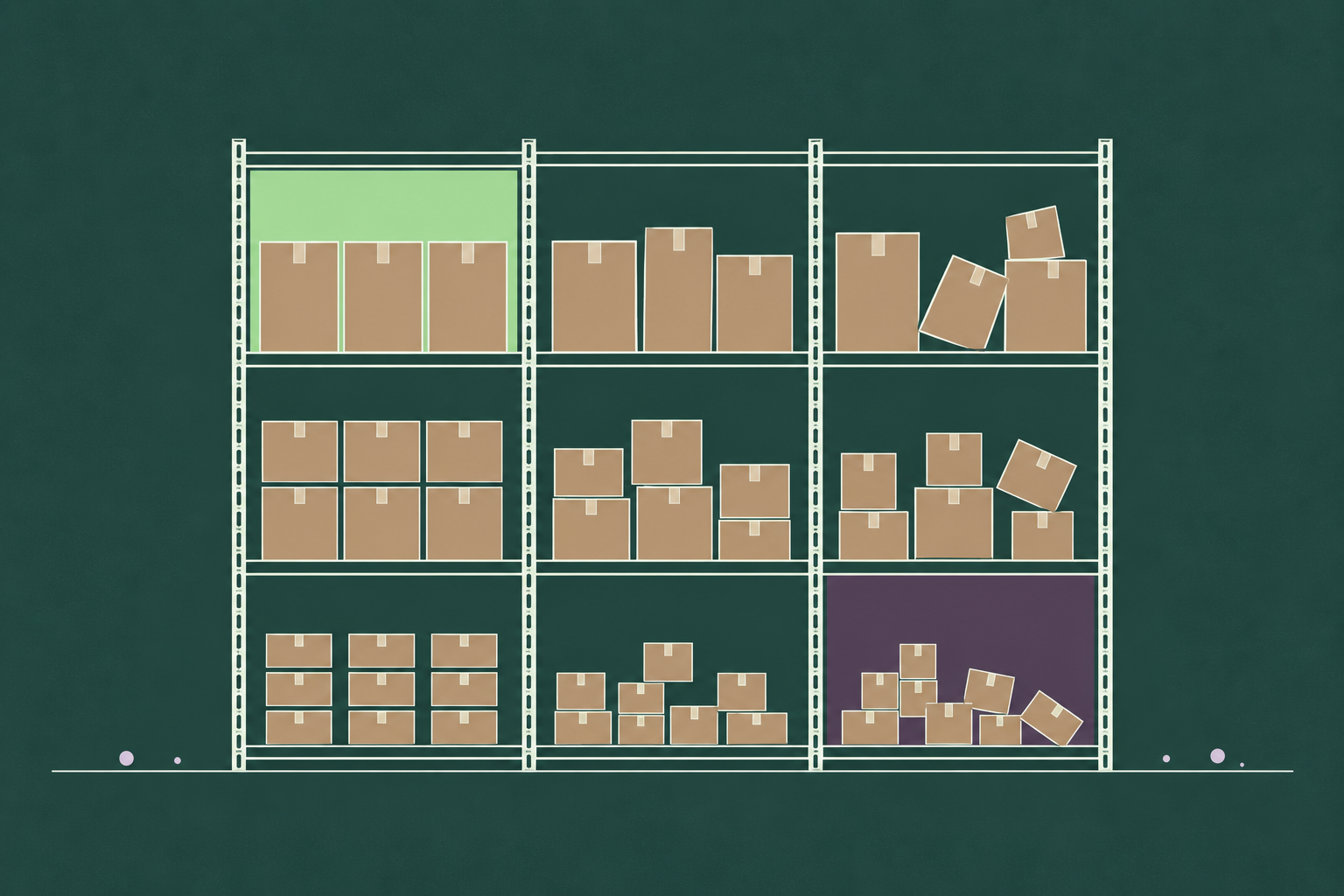
Cross the two classifications and every SKU lands in one of nine cells. Here is the 20-SKU catalog, with the number of SKUs in each cell and the share of annual value the cell carries.
| X (stable, CoV under 0.5) | Y (variable, 0.5 to 1.0) | Z (erratic, over 1.0) | |
| A (top 80% of value) | 4 SKUs, 55.1% of value | 2 SKUs, 19.8% | 1 SKU, 4.4% |
| B (next 15%) | 3 SKUs, 7.9% | 2 SKUs, 5.5% | 1 SKU, 2.0% |
| C (last 5%) | 1 SKU, 1.3% | 2 SKUs, 2.1% | 4 SKUs, 2.1% |
Both corners name the extremes. AX is high value and stable: the four SKUs there carry more than half the catalog’s value and are the easiest items to forecast. CZ is low value and erratic: four SKUs, 2% of value, and the kind of demand no statistical model forecasts well. Reading the columns is as useful as reading the cells. The X column holds 64% of value across 8 SKUs. The Z column holds 8% of value across 6 SKUs, and those six will consume more planner time than the other fourteen combined unless the policy says otherwise.

What to do with each cell
A cell is only useful if it changes a decision. Four decisions should differ by cell: the service level you target, how often a planner reviews the item, which forecasting approach runs on it, and whether the forecast can go into the plan untouched. The table is a starting point; the numbers are the ones we would open a workshop with, and your stockout costs and margins will move them.
| Cell | Service level target | Review frequency | Forecast approach | Touchless? |
| AX | High, 97% to 99% | Weekly, by exception only | Statistical or ML, fully automated | Yes |
| AY | High, 95% to 98% | Weekly | Seasonal model plus drivers (promotions, price) | Mostly; planner reviews promotion weeks |
| AZ | Set by stockout cost, often 95% | Weekly, planner-owned | Driver-based ML, intermittent-demand methods | No |
| BX | 95% to 97% | Every two weeks, by exception | Statistical, automated | Yes |
| BY | 93% to 96% | Every two weeks | Seasonal model plus drivers | Mostly |
| BZ | Medium, with a wide buffer | Monthly, plus exception alerts | Intermittent-demand methods | Partly |
| CX | 90% to 95%, larger order quantities | Monthly | Simple statistical, automated | Yes |
| CY | Medium, covered by cycle stock | Monthly | Simple seasonal model | Yes |
| CZ | Low, or make to order | Quarterly | Reorder point only, no forecast | Yes, or drop from forecasting |
Three cells deserve a closer look.
AX: automate and monitor. Stable, high-value items are where a statistical forecast earns the most money for the least attention. The right policy is a tight service level, a low safety stock (because the CoV is low, the service level and safety stock calculation returns a small buffer), and no manual touch unless an exception alert fires. Planner time spent here is planner time wasted.
AZ: planner attention and driver-based forecasting. This is the cell where money and difficulty meet. SKU-107’s lumpy demand usually has a cause, such as a few large customers ordering on their own schedules or a project-driven buying pattern, and that cause is a driver a model can use even when the time series alone looks random. Intermittent-demand methods (Croston’s method and its variants) handle the timing; customer-level signals handle the size. This is the one cell where a weekly planner review is clearly worth its cost.
CZ: make to order or wide buffers. Low value and erratic. Forecasting these items is a poor use of anyone’s time, and the two sensible policies are a generous reorder point funded by the low unit cost, or no stock at all and a quoted lead time to the customer.
Read as a whole, the grid also tells you how far a planning team can go toward a touchless forecast, where the forecast flows into the plan without a planner adjusting it. In this catalog the X column alone is 64% of value, and the AY and BY cells add most of the rest in all but promotion weeks. That matches what the Accuracy Report measured in practice: in one deployment, 75% of forecast volume ran touchless once accuracy passed the threshold planners trusted. The cells where AI changes the picture most are Y and Z. A seasonal item with promotions (AY) and a lumpy item with identifiable buyers (AZ) are both cases where a model that uses drivers beats a model that only sees the time series, and in the report’s 15 head-to-head deployments, AI versus incumbent accuracy improved in every case reviewed, with forecast error cut by 14% to 56%. Better accuracy in the Y and Z columns is what moves cells from “mostly” to “yes” in the touchless column, and that is how the grid grows the automated share over time instead of freezing it.

Where ABC analysis falls short
Four limits are worth planning around.
Classes go stale. A new product climbs from C to A in two quarters, and a lost customer drops an A item to B overnight. A classification run once and left in the ERP for three years is describing a catalog that no longer exists. Re-run it quarterly, and re-run it the week a major product launches or a major customer leaves.
Value ignores margin and criticality. A low-value C item can be the part that stops a production line, or a high-margin accessory, or the item a key account measures you on. Most teams handle this with an override flag on top of the value class rather than by changing the math.
New products have no history. Neither classification can place a SKU with eight weeks of sales, and a launch’s demand pattern is usually nothing like its steady state. Treat new items as a separate class with their own rules until they have a year of data. Our guide on forecasting new products covers how to build that early forecast from analogues and drivers.
Twenty SKUs fit in a table. Twenty thousand do not. The arithmetic scales without trouble, but the policies do not maintain themselves, and the value of the grid at scale depends on the forecast behind each cell being good enough to trust. The Accuracy Report’s deployments included portfolios of 100,000+ SKUs, with horizons from 8 weeks to 36 months, and the finding that portfolio size was never the blocker holds here too: the grid works at any size, provided the classification and the forecast are both re-run on a schedule rather than once.

Download the 20-SKU ABC XYZ workbook (Excel). Paste your own weekly units and unit costs; the classes, the matrix and the policy table recalculate.
Think of the grid as a map of where your forecast is earning its keep and where a planner is earning theirs. If you would like to see how your own catalog sorts, and which cells an AI forecast would move to touchless first, request a demo and bring your SKU list.