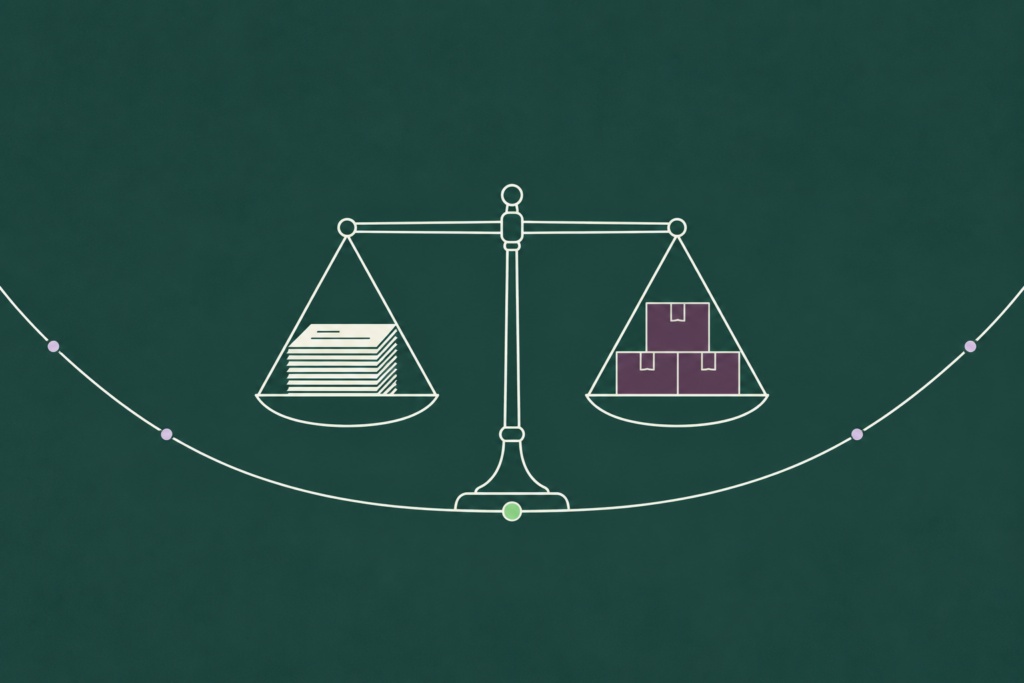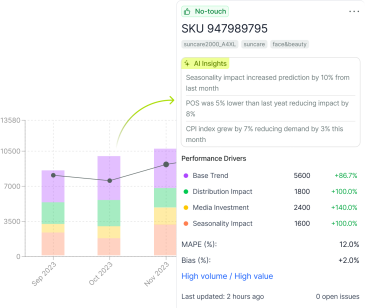
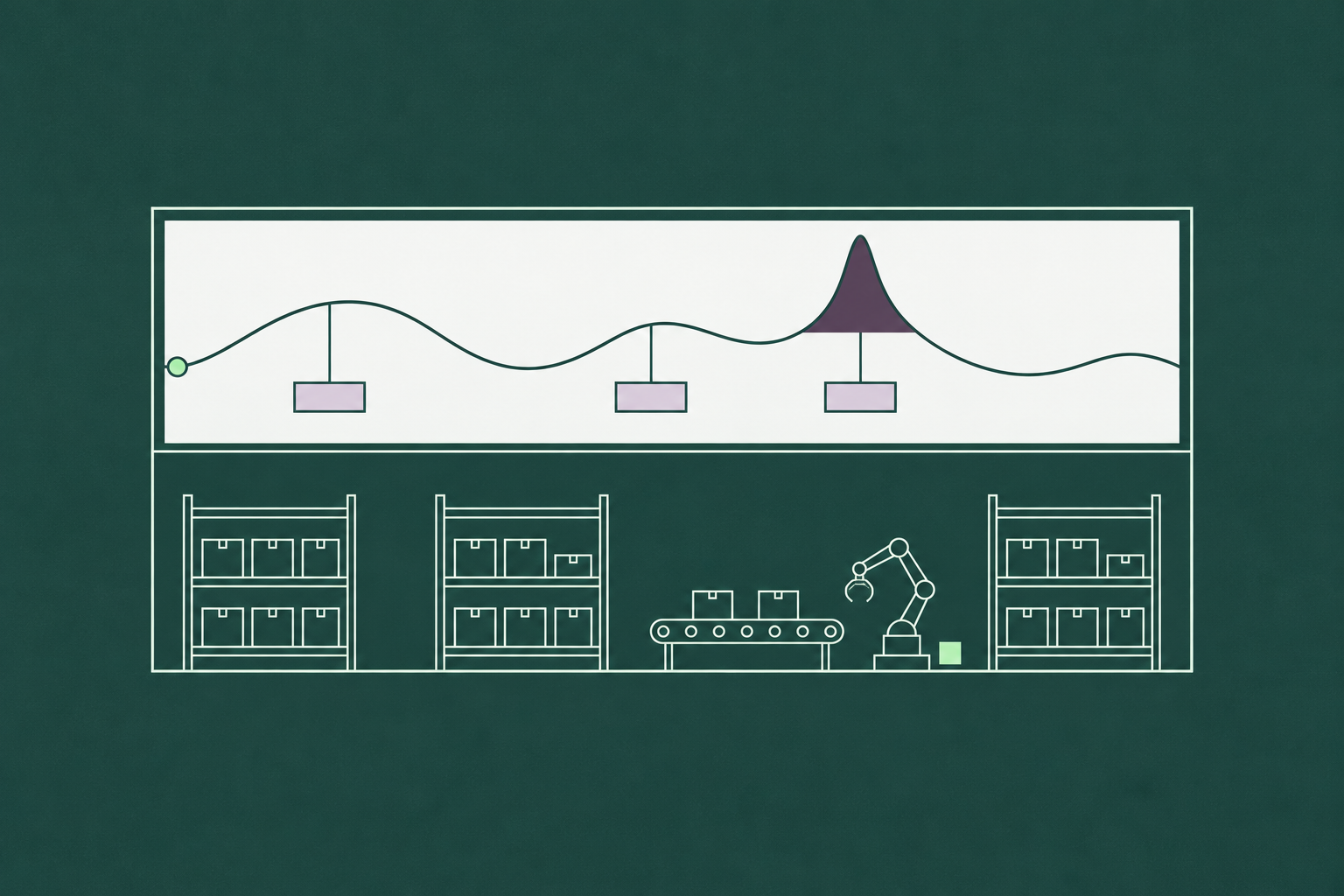
AI inventory management is the use of machine learning to make the planning decisions that set stock levels: how much of each item to hold, where to hold it, when to reorder, and how to allocate, mark down and launch. It sits upstream of the warehouse, where a second family of AI (robotics, computer vision, slotting) moves and counts the units that planning decided to buy.
Most of what ranks for this phrase mixes those two families together, so a reader comparing “AI inventory management software” is comparing a demand forecasting model with a shelf-scanning robot. We would separate them, and then make a claim about the first family that the vendor pages avoid. The money in AI inventory management sits in the planning decisions, and every one of those decisions takes the demand forecast as its first input. Safety stock is sized from forecast error. Reorder points are built on lead-time demand. Allocation splits a forecast across locations. Markdowns are timed from a sell-through forecast. The forecast decides how much the rest of the AI is worth, which is why the first question to ask a vendor is about the forecast and the eighth is about the data warehouse.
Where AI fits in inventory: planning decisions vs the warehouse floor
Inventory has a planning layer and a physical layer, and AI has entered both.
On the floor, AI in inventory management means computer vision counting pallets, robots picking and moving units, slotting algorithms that decide which bin an item lives in, and anomaly detection on scans. These tools make the warehouse faster and more accurate at executing a plan. They do not change the plan.
In planning, AI for inventory management means models that forecast demand per SKU and location, size the buffers, time the orders, split the stock across sites, and decide when to mark down. These tools decide how many units exist in the first place. A warehouse that counts perfectly and moves quickly still holds whatever the plan told it to hold, and if the plan was 20% high, the robots stack the excess with great efficiency.
This post covers the planning layer, because that is where inventory is created or avoided. The warehouse layer is a separate purchase with separate questions.

The decision map: what AI changes in each inventory decision
Every inventory decision has a rules-based version that most ERPs run today, a version that machine learning changes, and a part that stays yours whatever the software does.
| Inventory decision | How it’s done with rules today | What AI changes | What it still needs from you |
| Demand forecast | Moving average or exponential smoothing per SKU; planners adjust by hand | A model per SKU-location that uses promotions, price, seasonality and other drivers, selected per series, with the drivers shown; see our AI demand forecasting software | The promotion and price calendar, clean stockout flags, and a planner for the exceptions |
| Safety stock | A fixed days-of-supply or a percentage set once per class | A buffer sized per SKU from measured forecast error, recalculated as the error changes, using the safety stock formula with live inputs | The service-level target per segment, which is a policy decision |
| Reorder point and order quantity | Lead-time demand plus the fixed buffer; EOQ or supplier minimums for the quantity | Reorder points that move with the forecast and its error; order quantities that reflect the horizon and lead-time variability | Lead times measured per supplier, and the MOQ and price-break terms |
| Allocation across locations | Historical share of sales, or planner judgment | A forecast per location, with stock pushed to where demand is expected and pulled from where it is not | The network rules: which DC serves which store, transfer costs, minimum displays |
| Markdown and clearance | A fixed cadence (week 8, week 12, clearance) | A sell-through forecast per item and location, with markdown timing set from it | The margin floor and the brand rules on discount depth |
| New item buys | Analog to the last similar launch, by hand | Attribute-based forecasts from lookalike items, replaced by actuals as sales arrive | The attribute data, the launch plan, and the judgment call on the first order |
| Physical counts and slotting | Cycle counts and fixed bin locations | Warehouse AI: vision counting, slotting optimization. Out of scope here | A separate evaluation |
The forecast row is where the largest change happens and the one every other row depends on. A moving average sees only the series. A driver-based model sees the promotion calendar and the price, and in our own six-method test that difference was worth nine points of weighted error on one SKU. The safety stock, reorder point and allocation rows are where a better forecast turns into less stock, and the mechanism is the same in each: a parameter that was set once becomes a value that is recalculated from the forecast and its error every cycle. The markdown and new item rows are the ones most teams still run by hand, and they are where sell-through forecasting pays off fastest in fashion and seasonal categories. The last row is warehouse AI, and it belongs in a different post.

Why the forecast decides how much AI is worth
Take the decision map and trace the inputs backward. Safety stock needs forecast error. The reorder point needs lead-time demand, which is the forecast times the lead time. Allocation needs a forecast per location. Markdowns need a sell-through forecast. New item buys need a forecast from lookalikes. The physical count is the only row that does not start with the forecast, and it is the row we set aside.
That dependency has an arithmetic. The statistical safety stock formula multiplies a service-level factor by the standard deviation of demand over the lead time, and when that deviation is measured against the forecast it is forecast error. Cut the error by 30% and the statistical safety stock falls by 30% at the same service level, which is the mechanism our guide to the lever that moves inventory turnover works through with a calculator. Halve the error and the buffer halves. No other lever in inventory management moves stock in proportion like that, which is why forecast quality decides how much any of the AI downstream of it is worth, and why what excess inventory and stockouts cost in a business is, to a first approximation, the cost of its forecast error.
An order of evaluation follows. A vendor whose strongest feature is automated reorder points on top of your existing forecast is automating the arithmetic of an error you have not yet reduced.

What AI won’t fix in your inventory
Three problems survive any model, and a vendor who says otherwise has not met them.
Bad master data. A SKU with two codes, a location that has moved, a unit of measure that is cases in one system and eaches in another. The model will forecast the data it is given, and a forecast for a phantom SKU is a confident number for nothing. Master data cleanup is a project of its own, and it comes first.
Supplier lead-time variability. The model can measure it and size the buffer for it, which is an improvement over a single planned lead time. It cannot shorten it. A supplier that delivers in 9 to 23 days forces a buffer that no forecast accuracy removes, and the fix is a conversation with the supplier or a second source.
Service-level policy. How much stockout risk to accept on an A item versus a C item is a business decision about margin, customer expectations and working capital. A model can show what each target costs in stock. It should not choose the target, and software that sets service levels for you has taken a decision that belongs to the people who answer for the P&L.

How to evaluate AI inventory management software: 8 questions
Our questions are ordered by how much each answer tells you. The first is about the forecast, because of everything above, and the last is about the data project the vendor is hoping you will not ask about.
| Ask the vendor | Answer that should worry you |
| 1. Will you benchmark against our current forecast, on our SKUs, at the lag we order at? | “Our accuracy on a public dataset is X%.” |
| 2. Which inputs drive each forecast, and can planners see how much each one contributed? | “The model is proprietary; trust the output.” |
| 3. Do safety stock and reorder points update automatically when forecast error changes? | “You set those parameters in your ERP.” |
| 4. How do you forecast items with no history? | “We need two years of data for every SKU.” |
| 5. How are promotions and price changes handled? | “Planners add a manual uplift.” |
| 6. Do you measure whether planner overrides improve the forecast? | “Overrides are always allowed” (with no value-added tracking). |
| 7. How long until we see a first forecast on our own data? | A multi-quarter implementation before any output. |
| 8. What do you need from our ERP and data team? | A vague answer, or a full data warehouse project as a prerequisite. |
Question 1 is the one to insist on, and it is cheap to run. Give the vendor a sample of SKUs and locations, the history, and the forecast your team actually used, frozen at the order lag, and ask for a forecast on the same hold-out period. The comparison takes a few weeks and answers the question the other seven circle around. Question 6 is the one most teams forget. A system that lets planners touch every line without measuring whether the touches help will never reach the state where most of the forecast flows into the plan untouched, and the share that does, which our demand planning guide tracks as touchless forecasting and planner touch rate, is a better measure of an AI deployment’s maturity than any accuracy figure on its own.

What results look like
Our 2026 Demand Forecasting Accuracy Report measured what happened to inventory when the forecast improved, in deployments where DemandForecast.ai’s forecast was benchmarked against the one the company already ran. The report presents these outcomes as observed, and it does not attribute them to the forecast alone, because allocation rules, supplier behavior and service policy all sat between the forecast and the stock. Read that way, the observed inventory and sales outcomes are a useful picture of the range.
A global fast fashion retailer forecasting more than 10,000 SKUs across nearly 5,000 stores saw overstock fall by up to 50% while sales rose 10% to 25%, after a period in which it had been overstocked and stocking out at the same time. A Tier II high-tech component manufacturer reported inventory cost savings of over 25%, with forecast accuracy moving from 50% to 80%. Nucor, the steelmaker, recovered $4M to $5M in annual sales at a single site, which is the stockout side of the same mechanism.
For comparison from outside the report, McKinsey’s 2021 analysis of AI-enabled supply chain management reported that early adopters had improved inventory levels by 35% and service levels by 65% against slower-moving competitors. The ranges are wide because the forecast is one input among several, and because the deployments that started with the worst forecast had the most room to move.
The product behind the report’s benchmarks is a forecasting layer, and that is deliberate. DemandForecast.ai produces the forecast and the error estimate per SKU-location, shows the drivers behind each number, tracks bias and drift, and feeds the result into whatever sizes the buffers and places the orders, whether that is the ERP, a planning suite or a spreadsheet. It answers questions 1, 2, 4, 5 and 6 of the checklist directly, and it leaves the service-level policy where it belongs.
Getting started: the data you need and a realistic timeline
Less data is needed for AI inventory forecasting than most vendors imply. Two years of sales by SKU and location, at the period you replenish. The promotion and price calendar, past and planned. Stockout flags from the inventory ledger, so the model can see which weeks recorded stock rather than demand. Lead times per supplier, as a range. Product attributes for the new item method. A data warehouse helps, and none of the above requires one.
As for timing, the report’s finding is specific: every deployment that reported a build timeline had a working first forecast within four weeks, on portfolios from a few hundred SKUs to more than 100,000. A first forecast is the moment the benchmark in question 1 can run, which makes four weeks the point at which you know whether the project is worth continuing, rather than the point at which it is too late to stop.
If you would like to run that benchmark on a sample of your own SKUs, request a demo and we will set it up against the forecast you use today.